LinkedIn Optimisation
Tips
Practical LinkedIn optimisation tips for supply chain, logistics and procurement professionals who want to be found, shortlisted and remembered.
If you work in Supply Chain, Logistics or Procurement, these LinkedIn optimisation tips are the difference between sitting quietly in the database and showing up at the top of a recruiter's search. Having reviewed thousands of profiles over 15 years of executive search, I can tell you the pattern is always the same — strong candidates are routinely invisible because their profile hasn't been built for how LinkedIn's search algorithm actually works. This guide walks through exactly what to fix, in order of impact.
Profile Fundamentals
These are the LinkedIn optimisation tips that carry the most weight, because they feed directly into how LinkedIn's search algorithm ranks your profile against a recruiter's search terms.
Professional Headline — your search ranking foundation
Your headline appears in every search result, connection request and comment you make, and LinkedIn's algorithm heavily indexes it. Don't just use your job title — use all 220 characters. Include your function, sector, key differentiators and system keywords, and always spell out abbreviations: Sales and Operations Planning (S&OP), not just S&OP. The algorithm doesn't always equate them.
Supply Chain Director | End-to-End Transformation | FMCG & Retail ANZ | SAP IBP & Kinaxis | Sales and Operations Planning (S&OP) | Demand Planning Leadership
About / Summary — your most keyword-rich section
The About section is the most heavily weighted field in LinkedIn's search algorithm. Structure it across 300–500 words and 3–5 paragraphs: who you are and what you do; the industries and company types you've worked with; your technical capabilities and systems; your biggest quantified achievements; and what you're seeking next. Break density with bullet points.
Research 3–5 job descriptions for your ideal next role. Extract the terms that recur — S&OP, IBP, demand planning, category management, SAP APO, Kinaxis, Power BI — and weave them naturally through your About section. LinkedIn weights both keyword frequency and placement.
Career experience — scope sells
Each role should mirror your resume: company context, title, key responsibilities and at least one quantified achievement, with the detail concentrated on the last ten years. For supply chain roles, always include scope — SKUs managed, fleet size, warehouse square metres, spend under management, team headcount, supplier relationships.
| Vague | Specific & quantified |
|---|---|
| Responsible for demand planning | Demand planning for 1,400 active SKUs across a 3-DC network using SAP APO |
| Managed procurement | Category management across $22M indirect spend covering fleet, facilities and professional services |
| Led the supply chain team | Led a 12-person end-to-end team across planning, procurement and logistics in a $200M FMCG business |
Visibility & Search Ranking
Once your profile itself is strong, these LinkedIn optimisation tips are about making sure the algorithm actually surfaces you.
AI job matching & Open to Work
LinkedIn now uses AI-driven matching to surface roles to candidates and candidates to recruiters, so profile completeness and keyword density directly affect match quality. Set Open to Work to Recruiters Only — invisible to employers, but a clear signal to headhunters. Then complete Job Preferences in full: desired titles, locations, work types, industries and company sizes.
Skills & endorsements — recruiter filter currency
LinkedIn Recruiter filters candidates by skill. Having the right skills listed and endorsed significantly increases how often you appear in filtered searches. Add all 50, and pin your top three strategically — function first, then systems. Request endorsements from colleagues who can genuinely speak to your depth.
Pin first — function
Supply Chain Management
Demand Planning · S&OP
Procurement
Then — systems
SAP (APO / IBP)
Kinaxis
Power BI
Between roles? Still list a current position
Many recruiters filter by Current Job Title. If you've left a role and list no current position, you simply won't appear in those searches. Create a current entry with your target title and a brief line stating that you are actively seeking your next opportunity — this is standard practice and well understood.
Profiles at All-Star completeness receive around 40% more opportunities. Completeness is not vanity — it is the single cheapest ranking lever you control.
Credibility & Growth
The last of these LinkedIn optimisation tips are less about the algorithm and more about the human reading your profile once they've found you.
Recommendations — your social proof
Written recommendations are visible to everyone and carry real credibility. Aim for three to five across different perspectives — a peer, a direct report, a manager, a client or cross-functional stakeholder. Brief the person on what to highlight: a recommendation citing specific projects and measurable outcomes is worth ten generic character references.
Profile completeness — All-Star status
All-Star status unlocks significantly higher visibility in search. You need a professional photo, a custom banner, complete work history, education, five or more skills and at least one recommendation. Set a clean custom URL — linkedin.com/in/firstnamelastname — and add it to your resume.
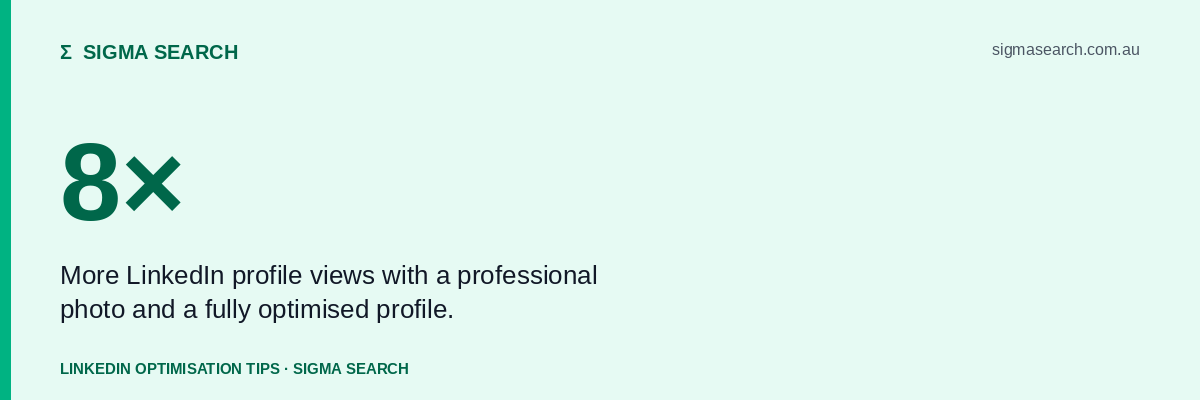
Profiles with professional photos receive up to 8× more views. Well lit, plain background, recent, professional attire. No holiday photos, no cropped group shots, no decade-old images — first impressions on LinkedIn are visual.
Content & thought leadership
The algorithm rewards active profiles — even thoughtful comments on other people's posts lift your visibility and search ranking. One or two quality posts a month (a market observation, a supply chain trend, a career reflection) beats daily noise. Your content tells people how you think and what kind of professional you are.
LinkedIn Premium — worth it while searching
Career Premium gives you InMail credits, salary insights, applicant intelligence and LinkedIn Learning; for an active job seeker a three-month subscription is generally worthwhile. In 2026 it also includes AI-powered resume tailoring and interview preparation for specific employers — genuinely useful additions to an active search.
Quick LinkedIn Optimisation Tips Checklist
Eleven of the most effective LinkedIn optimisation tips from this guide, distilled into a working checklist. Most take under an hour in total, and every one of them moves you up a recruiter's search results.
- 01Headline uses the full 220 characters, with keywords and spelled-out abbreviations
- 02About section runs 300–500 words with strategic keywords woven throughout
- 03Every role includes scope metrics and at least one quantified achievement
- 04A current position is listed — even between roles, create an active entry
- 0550 skills added, top three pinned to function and the most relevant systems
- 06Three or more recommendations from peers, managers and stakeholders
- 07Professional photo and custom banner image uploaded
- 08Custom URL set (linkedin.com/in/yourname) and added to your resume
- 09Open to Work set to Recruiters Only if you are actively searching
- 10Job Preferences completed in full — titles, locations, work types, industries
- 11Posting or engaging with content at least twice per month
Want a second opinion on your profile?
Sigma Search runs Career Boost sessions for supply chain, logistics and procurement professionals — a candid review of your profile, positioning and market.
Book a Career Boost session →This guide of LinkedIn optimisation tips has been prepared by Sigma Search for general career-advisory purposes. © Sigma Search 2026.